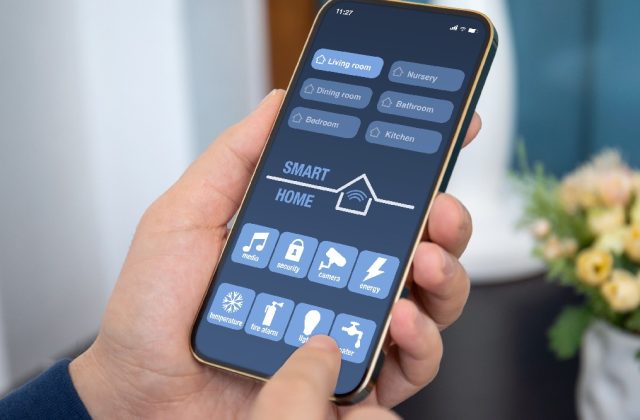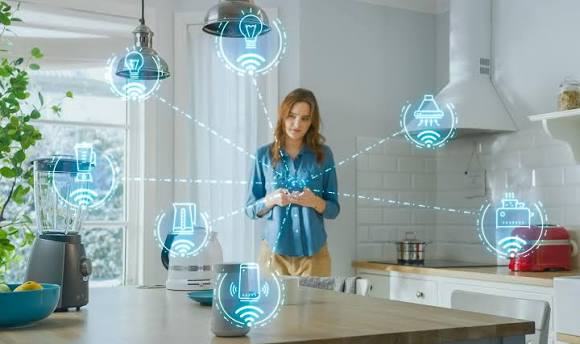
Building a smart home doesn’t have to be expensive, complicated or involve replacing everything you already own.
With the right devices and a little planning, you can make your home more convenient, improve security and manage energy consumption more effectively.
But where should you start?
Should you buy an Amazon Echo, Google Nest speaker or Apple HomePod? Do you need a smart home hub? And how do you know which devices will work together?
This complete SmartHomeNest UK checklist will guide you through building a smart home step by step, whether you’re starting with one smart plug or planning a fully connected house.
Step 1: Decide What You Want Your Smart Home to Do
Before buying anything, think about the problems you want to solve.
A smart home should make everyday life easier, not create additional complications.
Common goals include:
- Convenience: Control lights and appliances using your phone or voice.
- Security: Monitor entrances, receive alerts and manage a smart alarm.
- Energy management: Create heating schedules and monitor electricity consumption.
- Comfort: Automatically adjust lighting and room temperatures.
- Accessibility: Make everyday controls easier to use.
- Automation: Have devices respond to schedules, movement or other triggers.
Your First Checklist
- Choose your main reason for building a smart home.
- Identify the rooms where smart devices would be most useful.
- Set an initial budget.
- Decide whether you want voice control.
- Avoid buying devices simply because they’re advertised as smart.
Beginner tip: Start with one or two useful devices. You can always expand later.
Step 2: Check Your Home Wi-Fi
A reliable home network is essential for many smart home devices.
Smart cameras, video doorbells, speakers and Wi-Fi smart plugs can all depend on a stable connection.
Before purchasing equipment, check your Wi-Fi signal in the rooms where you plan to install devices.
What to Check
- Your router provides reliable coverage throughout your home.
- Your front door has suitable Wi-Fi coverage for a video doorbell.
- Your garden or garage has coverage if you plan to install outdoor devices.
- Your router supports the wireless bands required by your devices.
- Your Wi-Fi password is strong and unique.
- Your router receives security updates.
Many smart home devices use 2.4GHz Wi-Fi, although some support 5GHz or other connection methods.
For larger properties, a mesh Wi-Fi system may improve coverage.
Read more: Home Networking Guides
Step 3: Choose Your Smart Home Platform
Your smart home platform helps you control compatible devices from different manufacturers.
Three popular choices are Amazon Alexa, Google Home and Apple Home.
Amazon Alexa
Alexa may suit households that already use compatible Amazon Echo speakers and displays.
It supports voice commands, routines and a wide range of compatible devices.
Google Home
Google Home may appeal to households using Google services and compatible Nest speakers or displays.
It supports voice control, automation and connected home management.
Apple Home
Apple Home is worth considering if your household primarily uses iPhones and other Apple devices.
It offers a central Home app and automation features with compatible equipment.
Platform Comparison
| Platform | Worth considering if you… |
|---|---|
| Amazon Alexa | Want Echo speakers and voice routines |
| Google Home | Already use Google or Nest devices |
| Apple Home | Primarily use Apple devices |
| Home Assistant | Want advanced local control and customisation |
Home Assistant is a separate, more technical option that can bring many smart home technologies together.
Your Platform Checklist
- Choose your preferred platform.
- Check compatibility before buying devices.
- Decide whether you need a smart speaker or display.
- Consider whether local control matters to you.
- Avoid buying several incompatible systems unnecessarily.
Read more: Smart Home Guides
Step 4: Understand Matter, Thread, Zigbee and Wi-Fi
Smart home products don’t all communicate in the same way.
Understanding the main technologies can help you avoid compatibility problems.
| Technology | What it does | Typical consideration |
|---|---|---|
| Wi-Fi | Connects devices to your home network | Router coverage |
| Zigbee | Connects compatible low-power smart devices | Usually requires a compatible hub |
| Thread | Provides low-power mesh networking | Requires suitable Thread infrastructure |
| Matter | Helps compatible products work across supported ecosystems | Requires compatible controllers and networking |
Matter is not a replacement for Wi-Fi or Thread. It is a communication standard that can operate over supported networks.
Your Compatibility Checklist
- Check the exact product model.
- Confirm which platform it supports.
- Check whether a separate hub is required.
- Check whether a Thread Border Router is needed.
- Look for Matter support if cross-platform flexibility is important.
- Confirm that the features you want work with your chosen platform.
Not every Matter-compatible device supports every feature across every ecosystem.
Step 5: Start With Smart Lighting
Smart lighting is one of the easiest ways to experience home automation.
You can use compatible smart bulbs, smart switches or smart plugs to control lighting.
Smart Bulbs
Smart bulbs can offer dimming, scheduling and sometimes colour-changing features.
Smart Switches
Smart switches can control compatible lighting circuits but may require professional electrical installation.
Smart Plugs
Smart plugs can switch suitable ordinary lamps on and off.
Lighting Checklist
- Choose one room to start with.
- Decide whether you need dimming or colour control.
- Check whether a hub is required.
- Make sure the bulbs fit your existing light fittings.
- Set up a basic evening schedule.
- Consider motion sensors for hallways or utility rooms.
Beginner recommendation: A smart plug connected to a suitable table lamp is often a simple first project.
Step 6: Consider Smart Heating Controls
Heating is a major household expense, so effective heating controls can be useful.
Depending on your system, you may be able to use:
- Smart thermostats.
- Smart radiator valves.
- Heating schedules.
- Away modes.
- Room-by-room temperature controls.
Heating Checklist
- Identify your existing heating system.
- Check whether a smart thermostat is compatible.
- Review your current heating schedule.
- Decide whether room-by-room control would be useful.
- Compare installation costs.
- Check whether professional installation is necessary.
Smart heating equipment does not guarantee lower bills.
Savings depend on your current controls, household routine, insulation and heating system.
Read more: Smart Home Energy and Heating Guides
Step 7: Improve Your Home Security
Smart security devices can help you monitor your home and receive notifications when something unusual happens.
Useful equipment may include:
- Video doorbells.
- Outdoor security cameras.
- Door and window sensors.
- Motion detectors.
- Smart alarm systems.
- Outdoor lighting.
Security Checklist
- Identify vulnerable entrances.
- Check whether a video doorbell would be useful.
- Decide whether you need an alarm system.
- Compare cloud and local recording.
- Check subscription costs.
- Enable account security features.
- Position cameras responsibly.
- Consider backup power and connectivity.
Remember that smart cameras and alarms complement physical security measures such as suitable locks and doors.
UK Privacy Considerations
If your security cameras capture identifiable people beyond your property’s boundary, data protection obligations may apply.
Try to limit recording to your own property and use privacy zones where available.
For official advice, visit the Information Commissioner’s Office.
Read more: Home Security Guides and Smart Camera Guides
Step 8: Add Useful Smart Home Automations
Automation is where connected devices can become particularly useful.
Instead of controlling every device manually, you can create routines that respond to schedules, movement or other conditions.
Beginner Automation Ideas
Morning routine
Turn on a suitable lamp at a chosen time.
Evening lighting
Automatically switch on living room lights after sunset.
Leaving home
Turn off selected lights and non-essential appliances.
Hallway lighting
Use a motion sensor to activate a light temporarily.
Security notifications
Receive alerts when a compatible door sensor detects an opening while the alarm is armed.
Heating schedules
Reduce unnecessary heating during suitable periods.
Automation Checklist
- Create one simple routine.
- Test it several times.
- Check what happens if Wi-Fi or internet connectivity fails.
- Avoid automating safety-critical equipment.
- Make sure other household members can operate essential devices manually.
- Expand gradually once your first routine works reliably.
The best automations are the ones you rarely need to think about.
Step 9: Secure Your Smart Home
Every internet-connected device introduces another piece of technology that needs to be managed securely.
Good security habits are essential.
Smart Home Cybersecurity Checklist
- Use unique passwords for important accounts.
- Enable multi-factor authentication where available.
- Keep your router firmware updated.
- Install smart device updates.
- Remove devices you no longer use.
- Review app permissions.
- Use secure Wi-Fi encryption.
- Change default credentials where applicable.
- Avoid purchasing devices with unclear update support.
- Review connected accounts and third-party integrations.
If your router supports a suitable separate network for smart devices, it may be worth considering, provided the setup does not interfere with required local communication.
Read more: Smart Home Security Advice
Step 10: Set a Realistic Smart Home Budget
You don’t need to spend thousands of pounds to build a useful smart home.
A small setup can be expanded over time.
Example Beginner Budget
| Device | Illustrative budget |
|---|---|
| Smart plug | £10–£25 |
| Smart bulb | £10–£35 |
| Smart speaker | £30–£100 |
| Motion sensor | £15–£40 |
| Video doorbell | £50–£180 |
| Smart thermostat | £100–£250+ |
These are broad planning allowances rather than verified current retail prices. Installation, hubs, subscriptions and accessories may cost extra.
Three Ways to Start
Basic setup
One smart plug and one compatible smart bulb.
Focus on lighting schedules and simple phone control.
Intermediate setup
Add a smart speaker, a motion sensor and a video doorbell.
Focus on convenience, routines and entrance monitoring.
Expanded setup
Consider compatible heating controls, a smart alarm and additional sensors.
Focus on useful whole-home automation and security.
Budget Checklist
- Set a spending limit.
- Prioritise devices you’ll use regularly.
- Include installation costs.
- Account for subscriptions.
- Check whether additional hubs are required.
- Compare long-term costs, not just purchase prices.
Step 11: Plan for Future Expansion
Once your first devices are working, think about how your smart home might develop.
You may eventually want to add:
- More smart lighting.
- Room temperature sensors.
- Smart blinds.
- Leak detectors.
- Additional security sensors.
- Energy monitoring.
- Home Assistant or another advanced controller.
However, there’s no need to buy everything immediately.
Expansion Checklist
- Check compatibility with your existing platform.
- Avoid unnecessary duplicate hubs.
- Review Wi-Fi capacity and coverage.
- Keep a record of device models.
- Maintain a list of subscriptions.
- Check whether equipment can be transferred or reset if you move home.
Your Complete Smart Home Setup Checklist
Use this quick checklist to track your progress.
Planning
- Set a budget.
- Identify your main goals.
- Choose your preferred smart home platform.
Networking
- Check Wi-Fi coverage.
- Secure your router.
- Confirm device connectivity requirements.
Essential Devices
- Install your first smart plug or bulb.
- Set up your preferred control app.
- Test basic schedules.
Security
- Review door and window security.
- Consider cameras or a video doorbell.
- Check recording and subscription costs.
- Configure privacy settings.
Heating and Energy
- Review existing heating controls.
- Consider smart heating where useful.
- Monitor electricity usage.
- Avoid unnecessary consumption.
Automation
- Create your first routine.
- Test it thoroughly.
- Make sure manual controls still work.
Maintenance
- Keep devices updated.
- Review account security.
- Test important sensors.
- Review subscriptions and running costs.
Common Smart Home Mistakes to Avoid
Buying Too Many Devices at Once
Start small so you can understand how everything works.
Ignoring Compatibility
Always check the exact product model before purchasing.
Relying on Weak Wi-Fi
Poor coverage can cause delays, disconnections and unreliable operation.
Assuming Smart Devices Always Save Money
Convenience and automation do not necessarily produce financial savings.
Forgetting Other Household Members
Your smart home should remain easy for everyone to use.
Overcomplicating Automation
Simple, dependable routines are often better than elaborate setups that regularly fail.
Ignoring Privacy and Security
Connected devices need ongoing software updates and secure account management.
Frequently Asked Questions
How much does it cost to start a smart home in the UK?
You can begin with a relatively small budget using one or two compatible devices. More advanced systems involving cameras, heating and security equipment can cost considerably more.
Do I need a smart home hub?
Not always. Many Wi-Fi devices work directly through a smartphone app. Zigbee and Thread devices may need additional compatible equipment.
Is Alexa or Google Home better for beginners?
Both can be suitable. Choose based on the devices you already own, preferred services and compatibility requirements.
Can I build a smart home without subscriptions?
Yes. Many devices offer useful features without ongoing payments, although some cameras and security services charge for additional capabilities.
Do smart home devices work without internet access?
Some support local control or stored schedules, while others rely on cloud services. Check the exact device and platform.
Is Matter worth looking for in 2027?
Matter is worth considering if you want greater flexibility across supported smart home platforms. However, you should still check the device’s exact features and requirements.
What’s the best first smart home device?
For many beginners, a smart plug or smart bulb is an affordable and straightforward starting point.
Final Verdict: Build Your Smart Home One Step at a Time
A successful smart home isn’t about owning the most devices.
It’s about choosing technology that genuinely improves everyday life.
Start with reliable Wi-Fi and a platform that suits your household.
Add one or two useful devices, create a simple routine and make sure everything works consistently.
Once you’re comfortable, you can expand into lighting, heating, security and more advanced automation.
For UK beginners in 2027, the best approach remains simple:
Plan carefully, check compatibility, prioritise security and only buy devices that solve a real problem.
Explore More SmartHomeNest UK Guides
Continue learning with our specialist guides:
SmartHomeNest UK helps UK households make informed decisions about smart technology, home security and connected living.
Affiliate disclosure: Some links on SmartHomeNest UK may be affiliate links. If you purchase through these links, we may earn a commission at no additional cost to you. This helps support our website and allows us to continue creating useful guides.