One of the biggest advantages of having a smart home is being able to make everyday tasks happen automatically.
Instead of opening an app to switch on a light, adjusting heating manually or checking whether a device is switched off, you can create routines that handle these jobs for you.
These routines are called smart home automations.
You do not need an expensive smart home setup to get started. Even a smart plug, a couple of bulbs or a motion sensor can make a noticeable difference to everyday convenience.
In this guide, we look at 10 practical smart home automations that UK households can use to make their homes more convenient, comfortable and secure.
What is a smart home automation?
A smart home automation is an action that happens automatically when a particular condition is met.
For example:
- A light switches on when movement is detected.
- Heating follows a schedule.
- A smart plug switches off at bedtime.
- A notification arrives when a door opens.
Automations normally involve three elements:
- A trigger: Something happens, such as a particular time or movement being detected.
- A condition: Optional rules determine whether the automation should run.
- An action: A device performs a task, such as switching on a light.
You can create many automations through platforms such as Amazon Alexa, Google Home, Apple Home and other compatible smart home systems.
The exact options depend on your devices and platform.
10 useful smart home automations
1. Automatically switch on hallway lights
What you need:
- A compatible smart bulb or smart light.
- A compatible motion sensor.
How it works:
When someone walks into the hallway, the motion sensor detects movement and switches on the light.
You can also configure the light to switch off after a period without movement.
Why it’s useful:
This is particularly convenient when arriving home with shopping, walking through the house at night or when children need to move around safely.
Beginner tip: Start with one hallway light rather than automating every room.
2. Create a morning lighting routine
What you need:
- Compatible smart bulbs or lighting.
- A smart home app or voice assistant.
How it works:
Set your bedroom or kitchen lights to switch on at a chosen time.
You can also gradually increase brightness if your lighting system supports it.
For example, you could schedule the kitchen lights to come on shortly before you normally get up.
Why it’s useful:
It gives your morning routine a little more convenience without needing to remember to switch everything on.
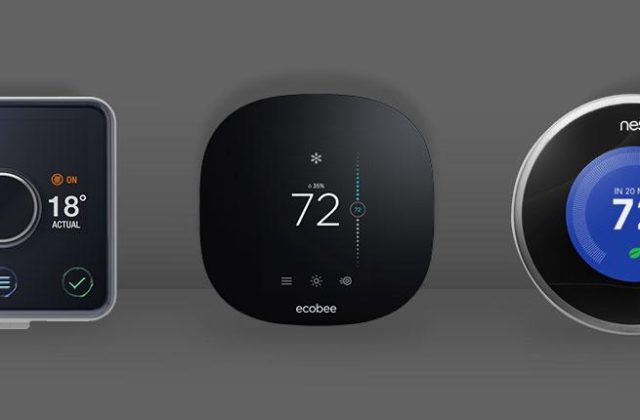
3. Set automatic heating schedules
What you need:
- A compatible smart thermostat or heating control system.
How it works:
Create a heating schedule based on your household’s normal routine.
For example:
- Heating comes on before you normally wake up.
- Temperature is reduced when the house is empty.
- Heating follows a different schedule at weekends.
Why it’s useful:
You can manage your heating more conveniently and avoid unnecessarily heating your home when you do not need to.
Important: Make sure any smart heating equipment is compatible with your boiler and existing heating controls. Temperature schedules do not guarantee a particular reduction in energy bills.
4. Switch off suitable devices at bedtime
What you need:
- Compatible smart plugs.
- Devices that are safe to switch off remotely.
How it works:
Create a bedtime routine that switches off selected devices at a particular time.
For example, you might switch off a decorative lamp or another suitable appliance.
Why it’s useful:
It helps reduce the number of small tasks you need to remember before going to bed.
Important: Never use a smart plug to interrupt power to equipment that must remain powered, such as essential medical equipment, refrigerators or other appliances that require continuous operation.
5. Receive alerts when a door opens
What you need:
- A compatible door or window contact sensor.
- A smart home app.
How it works:
Place a sensor on a suitable door or window.
When it opens, the sensor can trigger a notification on your phone.
You may also be able to create additional actions, such as switching on a light.
Why it’s useful:
It provides a convenient way to know when a monitored door or window has been opened.
For security-sensitive areas, choose suitable sensors and configure alerts carefully.
6. Create a holiday lighting routine
What you need:
- Compatible smart lights or smart plugs.
- A scheduling feature.
How it works:
Create a schedule that switches selected lights on and off at different times.
For example, a living room lamp could switch on during the evening and turn off later at night.
Why it’s useful:
You can manage your lighting while away from home without manually operating every device.
Important: Timed lighting is only a convenience feature. It is not a replacement for a proper home security system, and it should not be treated as proof that someone is home.
7. Turn on a light when someone arrives home
What you need:
- Compatible smart lighting.
- A supported presence or location feature.
How it works:
Your smart home platform can use supported location information to trigger an automation when an authorised household member arrives home.
For example, a hallway light could switch on when you arrive in the evening.
Why it’s useful:
You do not need to search for a light switch when entering a dark house.
Important: Location-based automations depend on smartphone permissions, connectivity and platform support. Check the privacy settings and who has permission to use location information.
8. Create a movie night routine
What you need:
- Compatible smart lights.
- A supported voice assistant or automation platform.
- Optional compatible entertainment equipment.
How it works:
Create a routine called “Movie Night”.
When activated, it could:
- Dim the living room lights.
- Switch off selected lamps.
- Adjust compatible entertainment equipment.
Why it’s useful:
Instead of controlling several devices separately, one routine can prepare your living room for a film.
9. Turn on lighting when a garage or entrance sensor activates
What you need:
- A compatible contact or motion sensor.
- Smart lighting.
- A suitable automation platform.
How it works:
When a monitored garage door opens or movement is detected near an entrance, an automation can switch on a suitable light.
Why it’s useful:
It can make arriving home or accessing a garage more convenient, particularly during darker evenings.
Remember to use sensors and lighting that are suitable for their intended location, especially outdoors.
10. Create a simple goodnight routine
What you need:
- Compatible smart lights.
- Optional smart plugs.
- A compatible smart home platform.
How it works:
Create one routine that performs several actions when you say “Goodnight” or activate it through your app.
For example, it could:
- Switch off selected lights.
- Turn off suitable smart plugs.
- Set a supported thermostat to its overnight temperature.
- Confirm the status of compatible security devices.
Why it’s useful:
It brings several bedtime tasks together into one simple action.
Make sure essential equipment remains powered and that security devices are actually armed rather than simply switched on.
Which automations should beginners try first?
You do not need to build all 10 automations immediately.
Start with something simple and expand once you understand how your devices work.
| Automation | Equipment needed | Difficulty |
|---|---|---|
| Automatic hallway lighting | Smart bulb and motion sensor | Easy |
| Morning lighting | Smart bulb and app | Easy |
| Heating schedule | Compatible smart thermostat | Medium |
| Bedtime device control | Smart plug and app | Easy |
| Door opening alerts | Contact sensor and compatible hub or controller | Easy to medium |
| Holiday lighting | Smart bulb or plug | Easy |
| Arrival home lighting | Smart lighting and supported location feature | Medium |
| Movie night routine | Smart lighting and automation platform | Easy |
| Garage or entrance lighting | Sensor and compatible lighting | Medium |
| Goodnight routine | Compatible lights, plugs and platform | Easy to medium |
Difficulty is a general guide. Actual setup depends on the devices and smart home platform.
Which smart home platform should you use?
There are several ways to create smart home automations.
Amazon Alexa
Alexa allows you to create routines using compatible devices.
You can trigger actions using voice commands, schedules, supported sensors and other available conditions.
It is a useful starting point if you already own an Echo device.
Google Home
Google Home provides automation features for compatible smart devices.
You can create routines that combine supported devices, schedules and triggers.
It is worth considering if you already use Google Nest products or other compatible Google Home equipment.
Apple Home
Apple Home provides automation features for compatible accessories.
You can create routines based on supported triggers, times and device states.
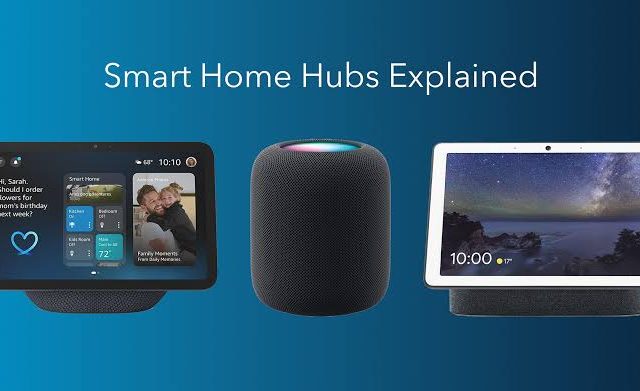
Some features require a suitable home hub, depending on what you want to do.
Other smart home platforms
There are also platforms designed for people who want greater control and customisation.
For example, Home Assistant can bring together many compatible devices and services, although it can require more technical knowledge to configure and maintain.
The best platform is usually the one that supports the devices you already own and is easy for your household to use.
Common mistakes to avoid when creating automations
Smart home automation can be extremely useful, but a few common mistakes can make it frustrating.
Creating too many automations
Start with one or two useful routines.
If you automate everything immediately, it can become difficult to understand why devices are behaving in a particular way.
Forgetting about other household members
An automation that switches off every light at a certain time might be inconvenient if someone else is still using the room.
Consider different household routines before creating shared automations.
Ignoring manual controls
Smart home devices should still be easy to control manually.
Make sure household members can operate important lights and equipment without needing to understand the automation system.
Not testing your routines
Always test a new automation after setting it up.
Check that the correct trigger works, that the intended devices respond and that the routine does not run at an inconvenient time.
Relying on automations for essential safety
Smart home routines are useful, but they should not replace proper fire alarms, security arrangements or other essential safety equipment.
How much does smart home automation cost?
You can start with a relatively small setup.
For example, one smart bulb and a compatible app may be enough to create a scheduled lighting routine.
More advanced automations may require additional equipment, such as sensors, hubs or smart heating controls.
Before spending money, consider:
- Which everyday problem do you want to solve?
- Do you already own compatible equipment?
- Will you need a separate hub?
- Are there ongoing subscriptions?
- Can you expand the system later?
It is usually better to buy a few useful devices than spend money on equipment you do not need.
Ready to try your first smart home automation?
You don’t need to transform your entire home overnight. The easiest way to get started is to choose one everyday task you’d like to make easier.
Here are three simple places to start:
- Control a lamp from your phone: Explore smart plugs that work with your chosen smart home platform.
- Automate your lighting: Look at smart lighting options and consider whether smart bulbs or switches suit your home.
- Get alerts when doors open: Explore compatible smart security devices and check whether they require a hub.
Before buying, check compatibility with your existing equipment, any hub requirements and ongoing subscription costs.
Explore more SmartHomeNest UK guides: Our smart home guides can help you choose compatible devices and build your setup one step at a time.
Some links on SmartHomeNest UK may be affiliate links. If you purchase through these links, we may earn a commission at no additional cost to you. This helps support our website and allows us to continue creating useful guides.
Frequently asked questions
Do smart home automations work without the internet?
Some automations can continue working locally, depending on the platform and equipment. Others depend on cloud services or an internet connection. Check the manufacturer’s documentation before relying on a routine.
Can I create automations without a smart home hub?
Yes. Many Wi-Fi smart devices and platforms support basic automations without a separate dedicated hub. Other devices require compatible hubs or controllers.
Can Alexa and Google Home automate multiple devices?
Yes. Both platforms support routines and automations involving compatible devices. Available triggers and actions depend on the products and platform.
Are smart home automations difficult to set up?
Basic automations are usually straightforward. Creating a schedule or switching on a light when movement is detected is a good starting point.
More advanced automations may require additional equipment and configuration.
Can I have different routines for weekdays and weekends?
Many smart home platforms support different schedules for different days. This allows you to create routines that better match your household’s weekly activities.
Do smart home automations save money?
They can help manage lighting, heating and suitable appliances more conveniently, but savings are not guaranteed. Results depend on how you use your equipment and your household’s energy consumption.
Final thoughts
Smart home automation is about making everyday life easier.
You do not need dozens of devices or an expensive system to enjoy the benefits. A simple lighting routine, automatic heating schedule or door notification can be a useful first step.
Start with the tasks you would most like to automate, choose compatible equipment and test each routine before adding more.
As your confidence grows, you can gradually introduce more advanced automations across your home.
At SmartHomeNest UK, we believe smart technology should make your home more convenient, comfortable and secure without making everyday life more complicated.