Smart home technology can make everyday life easier, from controlling lights with your phone to setting heating schedules and receiving security alerts. However, as you start adding more connected devices, you may come across something called a smart home hub.
Some devices connect directly to your home Wi-Fi, while others use technologies such as Zigbee, Thread or Z-Wave. A smart home hub can help bring compatible devices together and allow them to communicate.
But do you actually need one? And is it worth spending money on a dedicated hub when you already have a smartphone, router and smart speaker?
In this guide, we explain what smart home hubs do, the different types available and when one might be useful.
What is a smart home hub?
A smart home hub is a central device or system that helps different smart home products communicate and work together.
Think of it as a coordinator for your connected home.
Depending on the technology, a hub can connect devices such as:
- Smart bulbs and lighting systems
- Motion and contact sensors
- Smart plugs
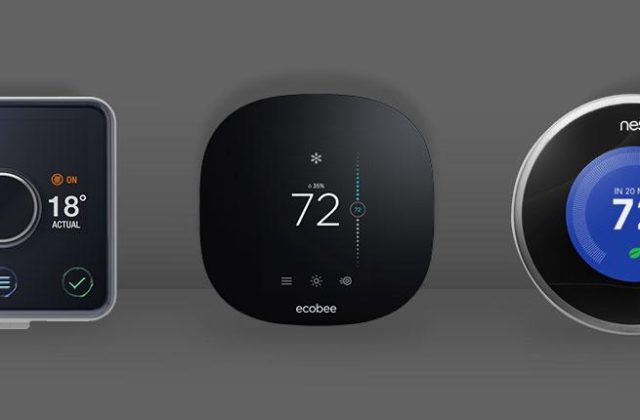
- Heating controls
- Door and window sensors
- Some security devices
- Other compatible automation products
Without a suitable hub, certain devices may not be able to communicate directly with your phone, router or other smart home products.
A hub can also help automate actions. For example, a motion sensor could trigger a compatible light to switch on when someone enters a room.
Do all smart homes need a hub?
No. Many modern smart home devices connect directly to your existing Wi-Fi network.
For example, some smart plugs, cameras, bulbs and doorbells can be controlled using their manufacturer’s mobile app without requiring a separate hub.
If you only have a handful of Wi-Fi devices, you may not need one at all.
However, a hub becomes more useful when you want to connect devices that use different wireless technologies or create more advanced automations.
The important thing is to check what each product requires before buying it.
The different types of smart home hubs
Not all hubs work in the same way. Some are dedicated pieces of hardware, while others are built into devices you may already own.
1. Dedicated smart home hubs
A dedicated hub is a physical device designed to connect compatible smart home products.
Some hubs support technologies such as Zigbee, Thread or Z-Wave. They can allow compatible sensors, bulbs, plugs and other devices to communicate with your wider smart home system.
The exact features depend on the model.
Dedicated hubs are particularly useful if you plan to build a larger smart home with devices from different manufacturers.
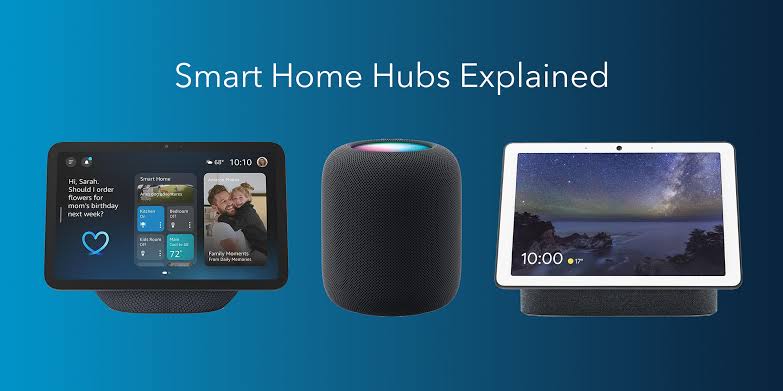
2. Smart speakers with built-in hubs
Some smart speakers include smart home connectivity features.
This means you may already own a device that can act as a hub for compatible products.
However, not every Amazon Echo, Google smart speaker or Apple Home device includes the same connectivity hardware.
Before purchasing accessories, check the exact model and its supported technologies.
3. Software-based smart home hubs
Some smart home platforms can run on a computer, mini PC or dedicated home server.
These systems can bring different devices and services together, allowing more advanced automation and customisation.
They may be particularly appealing to people who want greater control over their smart home.
However, they can require more technical knowledge to install, configure and maintain.
Understanding Zigbee, Thread, Z-Wave and Wi-Fi
One of the most confusing parts of choosing a smart home hub is understanding the wireless technologies used by smart devices.
Here is a simple explanation.
Wi-Fi
Wi-Fi is commonly used by smart cameras, plugs, televisions and many other connected products.
Most homes already have a Wi-Fi router, so additional networking equipment is not always necessary.
The disadvantage is that a large number of connected Wi-Fi devices can place extra demands on your wireless network.
Zigbee
Zigbee is a low-power wireless technology commonly used by smart bulbs, sensors and other home automation products.
Many Zigbee devices communicate through a mesh network, where compatible powered devices can help pass signals between one another.
A compatible hub or coordinator is generally required to connect Zigbee devices to a wider smart home system.
Thread
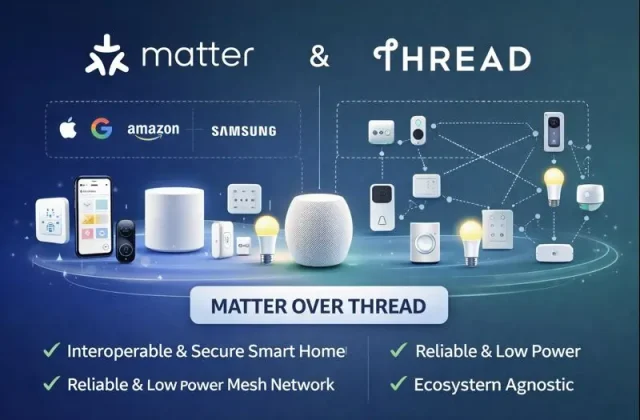
Thread is a low-power wireless networking technology designed for connected devices.
It creates a mesh network and is an important part of the modern smart home ecosystem.
Thread devices need a compatible Thread Border Router to communicate with the wider home network.
Some smart speakers, displays and other home devices include this functionality.
Z-Wave
Z-Wave is another wireless technology used in smart home automation.
It is found in certain sensors, switches, locks and other connected products.
Z-Wave uses its own compatible ecosystem, so you need to check that your chosen hub supports it.
Not every smart home hub supports every wireless technology.
What is Matter and how does it affect smart home hubs?
Matter is a smart home connectivity standard designed to improve compatibility between products from different manufacturers.
It aims to make it easier for supported devices to work with compatible smart home platforms.
For example, a Matter-compatible light may be able to work with more than one supported smart home ecosystem.
However, Matter does not mean every device works with every platform or that all hubs are interchangeable.
Some Matter devices use Wi-Fi, while others use Thread. Thread-based Matter devices need suitable Thread network infrastructure.
Before buying anything, check the Matter logo, supported device types and any hub or Border Router requirements.
Benefits of using a smart home hub
A hub can provide several advantages when building a larger smart home.
Better device compatibility
A suitable hub can connect devices that use wireless technologies your ordinary Wi-Fi router does not support.
This can give you more choice when selecting smart home products.
More advanced automation
A hub may allow devices from different manufacturers to work together.
For example:
- A door sensor could trigger hallway lighting.
- A motion sensor could activate a compatible security light.
- A temperature sensor could trigger an automation.
- A smart button could control several devices at once.
The available automations depend on the hub and connected products.
Less reliance on individual apps
Without a central platform, you may end up controlling every device through a different manufacturer’s application.
A compatible hub can bring supported products together under one system.
Potentially better local control
Some hubs can process automations locally rather than relying entirely on cloud services.
This may help certain automations continue working when your internet connection is unavailable.
However, this depends on the device, platform and configuration. Remote access and cloud-dependent features may still require an internet connection.
Disadvantages of smart home hubs
A hub is not automatically the best choice for everyone.
There are a few things to consider.
Additional cost: A dedicated hub can increase the initial cost of your smart home setup.
Compatibility restrictions: Not every hub supports every manufacturer or wireless technology.
More equipment: You may need another device connected to your router or plugged into a power socket.
Setup and maintenance: Some systems require firmware updates, configuration and occasional troubleshooting.
Platform dependency: Building your entire home around one manufacturer can make it harder to switch platforms later.
These disadvantages are worth considering before investing in a particular ecosystem.
How to decide whether you need a smart home hub
The best choice depends on how many devices you own and what you want your smart home to do.
| Your smart home setup | Do you need a hub? | Recommendation |
|---|---|---|
| A few Wi-Fi smart plugs and bulbs | No | Use your existing Wi-Fi and manufacturer’s apps |
| Devices controlled through Amazon Alexa or Google Home | Not necessarily | Many devices connect directly to Wi-Fi. Some Echo and Google Nest models include built-in Zigbee or Thread hub features, but support varies by model. Check your speaker’s specifications before buying a separate hub. |
| Zigbee smart bulbs and sensors | Usually yes | Choose a compatible Zigbee hub |
| Thread smart home devices | Requires compatible Thread infrastructure | Check whether you already have a Thread Border Router |
| Z-Wave sensors and switches | Yes | Choose a compatible Z-Wave hub |
| A large smart home with multiple device types | Often yes | Consider a central hub supporting your chosen technologies |
| A simple smart home with no advanced automations | Not usually | Keep the setup simple and expand late |
Quick tip: Always check the exact device and hub compatibility before purchasing. Supporting the same wireless technology does not automatically guarantee that two products will work together.
You probably do not need a dedicated hub if:
- You only have a few smart plugs or bulbs.
- Your devices connect directly to Wi-Fi.
- You are happy using individual manufacturer applications.
- Your existing smart speaker provides all the features you need.
- You do not need advanced automation.
A hub may be worthwhile if:
- You want to use Zigbee or Z-Wave devices.
- You are building a larger smart home.
- You want sensors and lighting to work together.
- You want to combine compatible products from different manufacturers.
- You want more advanced automation options.
- You prefer a central system for managing your connected home.
What should you check before buying a smart home hub?
Before purchasing a hub, consider these important points.
- Device compatibility: Check that it supports the exact products you already own or plan to buy.
- Wireless technologies: Look for support for the standards you need, such as Zigbee, Thread or Z-Wave.
- Matter support: Check which Matter device types and connection methods are supported.
- Internet requirements: Find out which features work locally and which depend on cloud services.
- Automation features: Make sure it supports the routines and triggers you want to create.
- App support: Check whether the platform is easy to use on your smartphone.
- Future expansion: Consider whether it can support the additional devices you might add later.
It is also worth checking ongoing subscription costs and the manufacturer’s update and support policies.
Can you use more than one smart home hub?
Yes. Some households use multiple hubs because different devices require different technologies or ecosystems.
For example, you might have one hub for a lighting system and another device providing Thread connectivity.
However, multiple hubs can make a system more complicated.
Where possible, choose a setup that supports the devices you need without unnecessary extra equipment.
Our advice: Start simple and expand when needed
If you are just getting started with smart home technology, there is no need to purchase an expensive hub immediately.
Start with a few devices that connect easily to your existing network or smart home platform.
As your setup grows, you can decide whether a dedicated hub would improve compatibility, reliability or automation.
The most important thing is to choose products that work together rather than buying equipment simply because it has impressive specifications.
Frequently asked questions
Is a smart home hub the same as a Wi-Fi router?
No. A Wi-Fi router connects your home devices to your local network and usually the internet. A smart home hub coordinates compatible smart home devices and may support wireless technologies that your router does not.
Can Alexa work without a smart home hub?
Yes. Many Alexa-compatible devices connect directly to Wi-Fi and can be controlled through the Alexa app or voice commands. Some devices using Zigbee or other technologies may require compatible hub functionality.
Does Google Home need a hub?
Not necessarily. Many compatible devices work directly through Wi-Fi. However, certain Thread or other smart home devices require compatible connectivity hardware.
Does Apple Home require a hub?
You can set up and control compatible Apple Home accessories without purchasing a separate dedicated hub in every situation. However, a suitable home hub is needed for features such as remote access and certain automations. Supported Apple devices can provide this functionality.
Is Matter a replacement for smart home hubs?
No. Matter improves compatibility between supported smart home devices and platforms, but it does not remove every need for hubs, controllers or Thread Border Routers.
Are smart home hubs worth the money?
They can be worthwhile if you use devices that need one or want more advanced automation. For a small collection of Wi-Fi devices, a separate hub may be unnecessary.
Final thoughts
Smart home hubs can make a big difference when building a connected home, but they are not essential for everyone.
For smaller setups, Wi-Fi devices and an existing smart speaker may be enough. For larger installations involving sensors, lighting, heating and different wireless technologies, a compatible hub can make everything easier to manage.
Take the time to check compatibility before buying, start with the equipment you actually need and build your smart home gradually.
At SmartHomeNest UK, we believe the best smart home is one that makes everyday life easier, safer and more convenient without unnecessary complexity.