Choosing the right smart home ecosystem is one of the most important decisions when building a connected home.
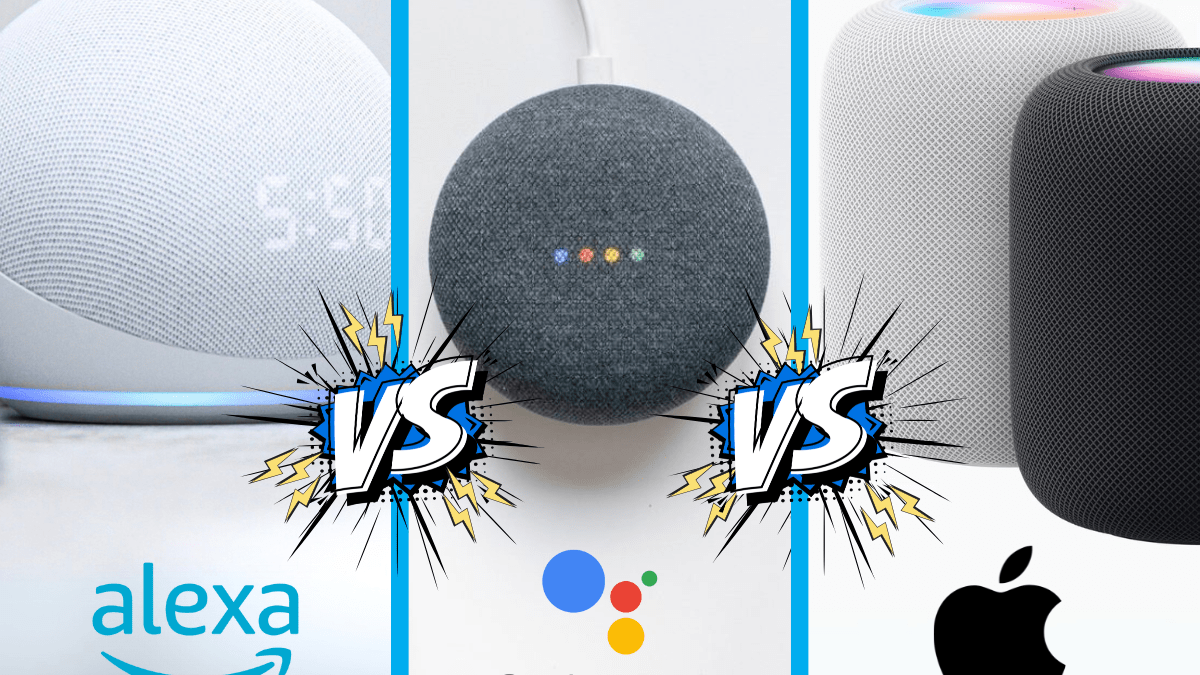
The three popular options are Amazon Alexa, Google Home and Apple Home. Each offers a different approach to controlling smart devices, creating automations and managing your household.
But which one should you choose?
The best option depends on the devices you already own, the features you need and how much control you want over your smart home.
Here’s how they compare.
1. Amazon Alexa
<escape>Amazon</escape> Alexa is a popular smart home platform, particularly for households using Echo smart speakers and displays.
It supports a wide range of compatible products, including:
- Smart bulbs.
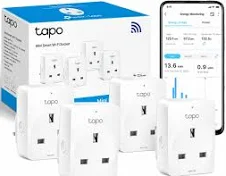
- Smart plugs.
- Security cameras.
- Video doorbells.
- Smart thermostats.
- Smart locks.
- Motion sensors.
One of Alexa’s biggest advantages is its extensive device compatibility.
You can use voice commands to control supported devices, create routines and manage different parts of your home.
Advantages
- Broad compatibility with smart home products.
- Large range of Echo devices.
- Useful voice-controlled routines.
- Easy to get started.
- Good choice for mixed smart home equipment.
Disadvantages
- Some integrations require additional manufacturer skills or applications.
- Certain features depend on compatible Echo hardware.
- Some manufacturers restrict advanced features to their own applications.
- Amazon account and cloud services are central to many functions.
Alexa is worth considering if you want a flexible ecosystem with plenty of compatible devices.
2. Google Home
<escape>Google</escape> Home is Google’s smart home platform and works with compatible Google Nest products and third-party devices.
It provides a central application for managing supported equipment and creating automations.
Common compatible devices include:
- Smart lighting.
- Smart plugs.
- Cameras and doorbells.
- Thermostats.
- Smart displays.
- Speakers and entertainment equipment.
Google Home also integrates with Google Assistant-supported features, depending on the device and service.
Advantages
- Good integration with Google’s ecosystem.
- Centralised smart home controls.
- Supports many third-party products.
- Useful routines and automation options.
- Works across compatible Android and iOS devices.
Disadvantages
- Some features vary between device models and regions.
- Not every third-party product supports every function.
- Certain advanced features require specific Nest hardware.
- Some automations depend on cloud services.
Google Home is a strong option if your household already uses Google services and compatible Nest equipment.
3. Apple Home
<escape>Apple</escape> Home is Apple’s smart home platform, designed to work with compatible accessories and Apple devices.
You can control supported products through the Home application, Siri and compatible Apple devices.
The ecosystem is particularly attractive to households using iPhones, iPads and Apple TV devices.
Compatible equipment can include:
- Smart lighting.
- Smart plugs.
- Sensors.
- Smart locks.
- Cameras.
- Heating controls.
Apple Home also supports Matter-compatible accessories, although the exact features available depend on the product and required home hub.
Advantages
- Strong integration with Apple devices.
- Centralised controls through the Home application.
- Home automations and scenes.
- Privacy-focused platform design.
- Support for compatible Matter devices.
Disadvantages
- Some products are more expensive.
- Compatibility must be checked carefully.
- Certain remote access and automation features require a suitable home hub.
- The experience is most convenient for households already using Apple devices.
Apple Home is worth considering if your household already uses Apple products and you prefer managing your smart home through that ecosystem.
4. Which platform supports the most devices?
Compatibility is often more important than the number of advertised features.
A smart home platform is only useful if it supports the equipment you want to install.
All three ecosystems support a wide selection of products, but compatibility differs by manufacturer and device.
Before purchasing anything, check:
- Whether the product officially supports your platform.
- Whether all important features are available.
- Whether a separate hub is required.
- Whether Matter support is included.
- Whether the manufacturer provides ongoing updates.
Matter can help improve compatibility between supported products, but it doesn’t guarantee that every device feature works identically across every ecosystem.
5. Which is best for smart home automation?
All three platforms offer ways to create automations.
For example, you might want your hallway lights to switch on when a motion sensor detects movement.
You could also create routines that:
- Switch lights on at sunset.
- Turn selected devices off at bedtime.
- Activate security settings when leaving home.
- Adjust compatible heating controls on a schedule.
- Trigger notifications when a monitored door opens.
The available triggers and actions depend on your devices and platform.
If you want more advanced automations, investigate the supported capabilities before choosing your ecosystem.
6. Which is best for privacy?
Privacy is an important consideration because smart home devices can collect information about your household.
Consider:
- What information the manufacturer collects.
- Whether voice recordings are stored.
- How camera recordings are handled.
- Whether two-factor authentication is available.
- How household access is managed.
- Whether devices can perform important functions locally.
Apple places a strong emphasis on privacy in its ecosystem, but that doesn’t mean you should ignore the settings on any Apple-connected accessory.
Likewise, Alexa and Google Home offer privacy controls that should be reviewed before use.
Always check the manufacturer’s privacy documentation rather than relying on general brand claims.
7. Which smart home ecosystem is best value?
The cost of a smart home isn’t limited to the price of a speaker or hub.
You should also consider:
- Smart device purchase prices.
- Additional hubs or bridges.
- Subscription services.
- Compatible accessories.
- Cloud storage.
- Replacement equipment.
A platform with inexpensive entry-level equipment may still become costly if important features require subscriptions.
Compare the total cost of the devices and services you actually intend to use.
8. Quick comparison
| Feature | Alexa | Google Home | Apple Home |
|---|---|---|---|
| Smart device compatibility | Broad | Broad | Good, check carefully |
| Voice control | Alexa | Google Assistant features | Siri |
| Automation | Yes | Yes | Yes |
| Matter support | Supported | Supported | Supported |
| Best fit | Flexible device choices | Google households | Apple households |
| Main consideration | Skills and cloud services | Device feature compatibility | Apple ecosystem requirements |
Features and compatibility can change with software updates and individual device models.
9. Can you use more than one ecosystem?
Yes, some households use devices across multiple platforms.
For example, a household might use an Echo speaker for voice control while also managing compatible devices through Apple Home or Google Home.
Matter can make this easier for supported products.
However, running multiple ecosystems can introduce extra complexity.
You may end up with several applications, separate automations and different ways of managing devices.
For most beginners, choosing one main ecosystem is usually the simplest starting point.
Our verdict: Which should you choose?
There isn’t one perfect smart home ecosystem for everyone.
Choose Amazon Alexa if you want a flexible setup with a wide range of compatible devices and Echo hardware.
Choose Google Home if you already use Google services and want a connected experience with compatible Nest equipment.
Choose Apple Home if your household uses Apple devices and you value integration with the Apple ecosystem.
Before committing, check the compatibility of the products you intend to buy.
The most important thing is choosing a system that works with your household rather than buying equipment that looks impressive on paper.
Final thoughts
Amazon Alexa, Google Home and Apple Home all provide useful ways to manage a smart home.
Your choice should come down to compatibility, everyday convenience, privacy and the equipment you already own.
Start with the ecosystem that fits your household, purchase compatible devices gradually and avoid spending money on equipment you don’t need.
At SmartHomeNest UK, our aim is to help you understand the technology before you buy, so you can build a connected home that works for you.